
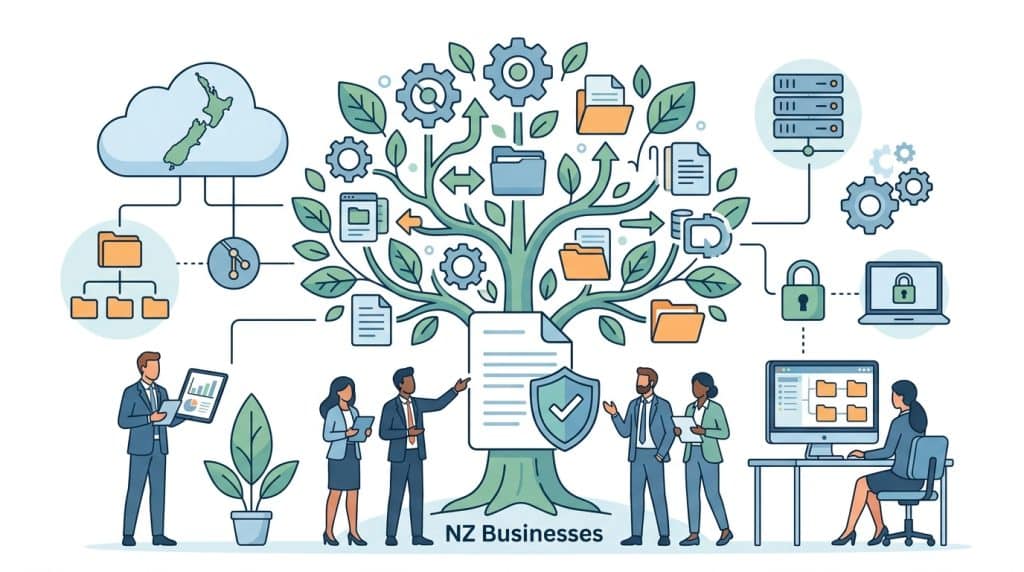
If you’re running a growing organisation in New Zealand, you’ve probably noticed something. What worked when you had 10 staff and a few hundred files doesn’t work now. Shared drives are chaos. OneDrive folders multiply like rabbits. Email chains containing critical documents stretch back months.
This isn’t a minor inconvenience. It’s a business risk. When your team can’t find the right version of a contract, when compliance audits become three-week scrambles, when new staff spend days learning where everything is stored, you’ve outgrown basic file storage.
You need enterprise document management. Not just software with fancy features, but a proper system built for scale, security, and governance. At DocSmart, we help NZ organisations across councils, engineering firms, insurance brokerages, law firms, utilities, construction teams, and government agencies transition from document chaos to streamlined, compliant systems using M-Files.
This guide explains what enterprise document management actually means, when you know you need it, and how to choose the right solution for your organisation.

Shared drives work brilliantly when you’re small. Five people, a few projects, simple folder structures. Everyone knows where everything lives. Bob saves the quote in the Quotes folder. Sarah updates the template in Templates. Done.
Then you grow. Suddenly you’ve got 30 staff across three locations. Projects overlap. Clients expect faster turnarounds. Regulatory requirements tighten. And your shared drive? It becomes a digital landfill.
The first thing that breaks is your folder structure. You started with something sensible: Clients > Projects > Documents. But then someone needs to file a document that belongs to three clients. Where does it go? So they duplicate it. Now you’ve got three versions, and nobody knows which one’s current.
People create workarounds. “Bob’s Working Files” folders appear. Email becomes the actual filing system because at least you can search it. Staff save critical documents to their desktop because the shared drive is too confusing.
Without proper version control, your team creates document chaos. Final_Report.docx becomes Final_Report_v2.docx, then Final_Report_FINAL.docx, then Final_Report_FINAL_Actually_Final.docx. We’ve all been there.
In a council environment, this isn’t just annoying. It’s dangerous. If someone references an outdated policy document during a consent application, you’ve got compliance issues. If an engineering firm submits an old design drawing, you’ve got safety risks.
As you grow, permission management becomes impossible. You need contractors to access certain project files but not financial documents. You need the finance team to see contracts but not personnel files. With shared drives, you’re constantly juggling folder permissions, creating security gaps everywhere.
One staff member leaves, and suddenly three folders are inaccessible because everything was tied to their login. Another joins, and they accidentally get access to confidential HR documents because someone ticked the wrong permission box.
Try finding a specific document on a large shared drive. You remember it was created sometime last year, relates to the Waterfront project, and was authored by someone whose name starts with M. Good luck.
Windows search is useless. It indexes filenames, not content. It doesn’t understand metadata like project codes, document types, or approval statuses. Your staff waste hours hunting for documents they know exist but can’t locate. According to research, knowledge workers spend 2.5 hours per day searching for information. That’s thousands of dollars in lost productivity every week.

How do you know when you’ve crossed the line from “we could use better organisation” to “we genuinely need enterprise document management”? Here are the clear signals.
If your team regularly overwrites each other’s work because someone opened a file someone else was editing, you need proper check-in/check-out functionality. This isn’t a nice-to-have for law firms drafting contracts or engineering teams updating technical specifications. It’s essential.
When an external auditor asks for all contracts signed in Q3 containing specific clauses, can you produce them in 20 minutes or does it take three staff members two weeks? If it’s the latter, your current system isn’t fit for purpose.
NZ organisations face increasing regulatory scrutiny. Privacy Act 2020 requirements, industry-specific regulations, council compliance obligations. You need systems that make compliance natural, not a scramble.
New team members should be productive quickly. If they’re spending their first fortnight learning which of the seven “Project Files” folders is the real one, where templates live, and why nobody uses the Quality folder anymore, you’re burning money and morale.
Someone saved the only copy to their laptop. That laptop died. Or they left the company and took their knowledge of the filing system with them. Or a critical document just vanished and nobody knows where it went.
If you’ve had one of these incidents, you’ll have more. Enterprise document management prevents them.
Sales uses one cloud platform. Finance uses another. Operations has their own shared drive. HR keeps everything in filing cabinets and scanned PDFs. When you need a complete view of a client relationship or project, you’re hunting across four systems.
This fragmentation doesn’t just waste time. It creates security risks and compliance gaps. Enterprise document management unifies everything into one governed system.
Your site managers need to access drawings on-site. Your executives need to review contracts while travelling. Your consultants need documents at client meetings. But your current system requires VPN access, desktop software, or simply doesn’t work on mobile devices.
Modern enterprise document management works everywhere, on any device, with the same security and functionality.
Let’s be clear about what “enterprise” actually means in enterprise document management. It’s not marketing fluff. It’s a specific set of capabilities that separate basic file storage from proper business infrastructure.
Enterprise systems handle growth without breaking. Whether you’ve got 50 users or 5,000, whether you’re managing 10,000 documents or 10 million, the system performs consistently.
You’re not just storing more files. You’re managing more complex workflows, more integrations, more concurrent users, more sophisticated permissions. The system architecture needs to support this without requiring constant expensive upgrades or performance compromises.
Every action is logged. Who accessed what document, when, what changes they made, who approved it, when it was distributed, when it expires. This audit trail isn’t optional for councils, law firms, insurance brokerages, or any organisation handling sensitive information.
Enterprise document management builds governance into every interaction. You don’t have to remember to track things. The system does it automatically, creating defensible records for compliance, legal discovery, or internal investigation.
Enterprise security goes far beyond password protection. You need role-based access control, where permissions flow from job functions, not manual assignment. You need document-level security that travels with the file regardless of where it’s shared. You need encryption at rest and in transit.
You also need security that doesn’t impede productivity. Staff should access what they need instantly, without IT bottlenecks, while being automatically blocked from what they shouldn’t see.
Here’s where enterprise document management diverges completely from shared drives. Instead of relying on folder structures, enterprise systems use rich metadata to organise and find documents.
A contract isn’t just filed under Clients > ABC Limited > Contracts. It’s classified with metadata: document type (contract), client (ABC Limited), value ($150,000), start date (01/03/2024), responsible person (Sarah Johnson), status (active), review date (01/03/2025), contract type (maintenance agreement).
This means you can find documents any way you think about them. Show me all active contracts over $100,000 due for review this quarter. Show me all documents Sarah’s responsible for relating to ABC Limited. Show me all maintenance agreements across all clients.
Enterprise document management automates business processes. When someone creates a purchase order over $10,000, it automatically routes to the appropriate approvers based on amount, department, and budget holder. When a contract approaches renewal, it automatically notifies the responsible person and starts the review workflow.
These workflows enforce business rules consistently. No more emails asking “who needs to approve this?” or documents sitting in someone’s inbox for weeks because they didn’t realise action was required.
Let’s dig deeper into the three pillars that make enterprise document management truly enterprise-grade. These aren’t separate features. They’re integrated capabilities that work together to create a secure, compliant, efficient system.
Enterprise security operates at multiple levels simultaneously. At the infrastructure level, you need secure hosting (whether cloud or on-premise), encrypted connections, and robust backup systems.
At the application level, you need user authentication (often integrated with Active Directory or Azure AD), role-based permissions, and document-level security that persists even when files are shared externally.
At the data level, you need encryption, automatic classification of sensitive information, and controls preventing unauthorised copying, printing, or sharing. For NZ organisations handling personal information under the Privacy Act, these aren’t luxuries. They’re requirements.
Different industries face different compliance requirements. Councils must comply with Local Government Official Information and Meetings Act (LGOIMA). Law firms must meet Law Society practice requirements. Insurance brokerages must satisfy FMA regulations. Construction firms must maintain safety documentation under Health and Safety at Work Act.
Enterprise document management systems accommodate these varying requirements through configurable retention policies, automated compliance workflows, and built-in audit capabilities. You define the rules once, and the system enforces them consistently forever.
Workflows in enterprise systems go beyond simple “send this document to Bob for approval.” They handle complex conditional logic. If the contract value exceeds $50,000 and involves capital expenditure and crosses fiscal years, route to CFO and CEO. Otherwise, route to department manager.
Workflows can trigger external actions. When a resource consent is approved, automatically update the GIS system, notify the applicant, schedule the inspection, and create the compliance monitoring file. All without anyone manually coordinating these steps.
This level of automation dramatically reduces processing time and eliminates errors. Tasks that took days happen in minutes. Nothing falls through cracks because someone forgot a step.
For many NZ organisations, particularly councils and government agencies, records management isn’t optional. You must retain certain documents for specified periods and dispose of them appropriately when that period expires.
Enterprise document management includes sophisticated records management. Documents are classified according to retention schedules. When documents reach the end of their retention period, they’re either archived or destroyed according to policy. The system creates defensible records of all disposal activities.
This protects organisations from both compliance breaches (destroying records too early) and unnecessary risk exposure (keeping records indefinitely when they should have been destroyed).
Enterprise document management doesn’t exist in isolation. It needs to work seamlessly with your existing business systems. This integration capability is what transforms document management from a filing system into business infrastructure.
Email contains critical business information. Quotes, approvals, instructions, decisions. Enterprise document management integrates with Outlook and other email clients, allowing staff to save important emails and attachments directly into the system with proper metadata and classification.
Even better, you can work with documents without leaving email. Need to attach the latest version of a proposal to an email? Grab it from the document management system directly within Outlook. Need to send a document for review? The recipient receives a link to the controlled version, not an orphaned copy.
Your CRM, ERP, project management, and industry-specific systems all generate and consume documents. Quotes in your CRM need to link to formal quote documents. Purchase orders in your ERP need to link to supplier contracts. Projects in your PM system need to link to all relevant documentation.
Enterprise document management integrates with these systems through APIs, web services, and connectors. Staff work in familiar systems but access centrally managed, version-controlled documents. Information flows bidirectionally. Changes in one system reflect in others.
Most NZ organisations use Microsoft 365. Enterprise document management integrates deeply with SharePoint, Teams, Word, Excel, and other Microsoft tools. You can check documents in and out directly from Microsoft applications. You can collaborate in Teams while maintaining proper document control.
This integration is crucial. Staff work where they’re comfortable, but documents remain properly managed. You get the collaboration benefits of Microsoft 365 with the control and governance of enterprise document management.
Different industries use different specialised systems. Councils use GIS, consent management, and asset management systems. Engineering firms use CAD and project management platforms. Law firms use practice management software. Construction companies use job costing and scheduling tools.
True enterprise document management integrates with these industry-specific platforms. A resource consent in your consent management system automatically links to all supporting documents in the document management system. A legal matter in your practice management system pulls in all related correspondence, contracts, and court documents.
Integration extends to how and where people work. Enterprise document management provides full functionality through web browsers, mobile apps, and offline sync. Site managers access drawings on tablets. Executives review board papers on iPads. Remote staff work with the same capabilities as office-based staff.
Security travels with documents. Access controls, encryption, and audit trails work identically whether someone’s at their desk, at a client site, or working from home.
At DocSmart, we specialise in M-Files because it represents the pinnacle of enterprise document management. It’s not just our opinion. M-Files consistently ranks as a leader in industry analyst reports and serves thousands of enterprise customers globally.
M-Files pioneered the metadata-driven approach to document management. Instead of forcing documents into rigid folder structures, M-Files lets you find documents based on what they are, not where they’re stored.
This fundamental architectural difference eliminates most problems organisations face with traditional systems. No more debating folder structures. No more duplicating files. No more broken links when folders move. Documents are organised by their attributes, and you find them the way you think about them.
M-Files doesn’t just store documents. It understands them. Through AI and machine learning, M-Files can automatically classify documents, extract key information, suggest metadata, and route items through workflows.
When an invoice arrives, M-Files recognises it’s an invoice, extracts supplier name, amount, and due date, applies the correct metadata, and routes it to the appropriate approval workflow. All automatically. This isn’t future technology. It’s working today in organisations across New Zealand.
M-Files scales from small businesses to massive enterprises. The same system that works for a 20-person consultancy works for a 10,000-person council. You’re not buying a system you’ll outgrow. You’re investing in infrastructure that grows with you.
This scalability extends across dimensions beyond user count. M-Files handles complex permission structures, sophisticated workflows, massive document volumes, and extensive integrations without performance degradation.
M-Files works how you need it to work. Cloud-hosted, on-premise, or hybrid. Windows, Mac (web), iOS, Android. Integrated with your existing systems or operating independently. M-Files adapts to your environment and requirements, not the other way around.
M-Files serves customers across every industry you can imagine. Councils, engineering firms, insurance companies, law firms, manufacturers, utilities, construction companies, healthcare providers, and government agencies globally trust M-Files with their most critical information.
This isn’t theoretical. These are organisations with demanding requirements, complex workflows, and zero tolerance for system failures. They’ve evaluated alternatives and chosen M-Files because it delivers enterprise capability with surprising ease of use.
M-Files is brilliant software. But software alone doesn’t solve business problems. You need implementation expertise, change management support, and ongoing strategic guidance. That’s what DocSmart provides.
We’re not international consultants parachuting in with generic solutions. We’re based in New Zealand, we work exclusively with NZ, Australia and Pacific organisations, and we understand the specific challenges you face.
We understand NZ regulatory requirements. We understand how councils work, how NZ law firms operate, how local engineering practices function. We speak your language and understand your context.
We’ve implemented enterprise document management dozens of times. We know what works and what doesn’t. We know where organisations typically struggle and how to avoid those pitfalls.
Our implementation methodology balances technical excellence with change management reality. We configure systems properly, but we also ensure your staff adopt them enthusiastically. Technology only delivers value when people actually use it.
We don’t just install software and disappear. We provide comprehensive training tailored to different user groups. Administrators need different knowledge than everyday users. Executives need different understanding than project managers.
Our support continues long after go-live. As your organisation changes, as your needs evolve, as you want to leverage more sophisticated functionality, we’re there. Not as a vendor, but as a partner invested in your success.
The best document management implementations don’t just digitise existing processes. They reimagine how work happens. We help you identify opportunities for improvement, design better workflows, and leverage technology to achieve strategic objectives.
We ask uncomfortable questions. Why do you still do things that way? Could this process be automated? What if we eliminated these three approval steps? Our goal isn’t to make you comfortable. It’s to make you excellent.
DocSmart is recognised as one of New Zealand’s leading document management specialists. We’ve won M-Files Partner awards. But more importantly, our clients achieve measurable results: faster processing times, reduced compliance risk, improved staff satisfaction, and significant cost savings.
Enterprise document management is a comprehensive system designed to store, manage, secure, and track at scale across large organisations. Unlike basic file storage, enterprise systems include sophisticated security, workflow automation, integration capabilities, compliance features, and metadata-driven organisation. They’re built to handle thousands of users, millions of documents, and complex business requirements while maintaining performance and security.
Basic document management provides electronic filing and simple search. Enterprise document management adds advanced security with role-based access control, automated workflows that enforce business rules, extensive integration with other business systems, sophisticated compliance and records management, comprehensive audit trails, and scalability to support large organisations. Enterprise systems also include intelligent features like automatic classification, version control, and mobile access with full functionality.
Any organisation with significant document volumes, compliance requirements, or complex workflows benefits from enterprise document management. In New Zealand, this particularly includes councils and local government, engineering and construction firms, law firms and legal practices, insurance brokerages, utilities and infrastructure providers, healthcare organisations, financial services, and manufacturing companies. These industries face strict regulatory requirements, handle sensitive information, and need robust audit capabilities.
Every enterprise document management implementation is different, depending on your organisation’s size, complexity, and existing systems.
The key to success is taking a structured, well-planned approach. This includes system configuration, workflow design, integration setup, and ensuring your team is set up to use the platform effectively from day one.
At DocSmart, we focus on delivering implementations in a way that is smooth, well-managed, and aligned with your business goals, ensuring long-term success without unnecessary disruption.
DocSmart is New Zealand’s leading specialist in enterprise document management, partnering with M-Files to deliver world-class solutions to Kiwi organisations. We focus exclusively on document management, bringing deep expertise to councils, engineering firms, law practices, insurance brokerages, and other organisations across New Zealand and the Pacific. Unlike general IT providers who offer document management as one of many services, we specialise entirely in this field, ensuring you receive expert guidance and support throughout your journey.
Growing organisations reach a point where basic file storage becomes a business constraint. If you’re spending excessive time searching for documents, struggling with compliance, or watching new staff flounder in document chaos, you’ve reached that point.
Enterprise document management isn’t about buying software. It’s about transforming how your organisation manages information. It’s about building infrastructure that supports growth, ensures compliance, reduces risk, and empowers staff to work efficiently.
At DocSmart, we help New Zealand organisations make this transformation using M-Files, one of the world’s leading enterprise document management platforms. We bring implementation expertise, strategic guidance, and ongoing support to ensure you achieve real, measurable results.
Ready to move beyond shared drive chaos? Contact DocSmart today. Let’s discuss your specific challenges and design an enterprise document management solution that works for your organisation.

© 2026 DocSmart All Rights Reserved l Privacy Policy | Terms & Conditions | Web Design by Virtual Innovation