
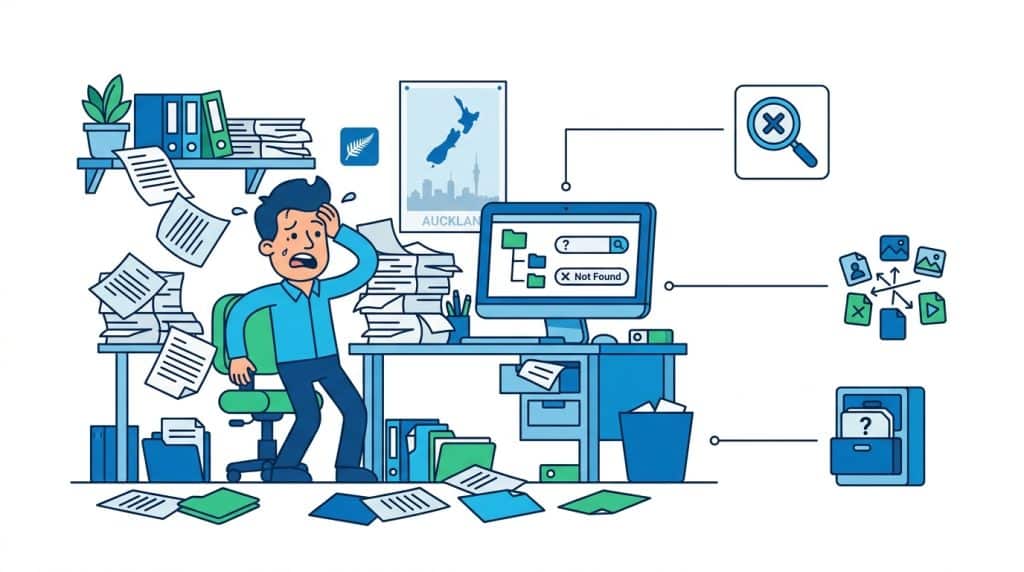
“I can’t find anything.”
If you’ve heard this from your team lately, you’re not alone. At DocSmart, we hear it from councils, engineering firms, law practices, insurance brokerages, and utilities across New Zealand every single week.
The problem isn’t that documents don’t exist. It’s that enterprise document search has become nearly impossible when information lives in folders, Teams channels, SharePoint libraries, email attachments, and personal OneDrive accounts.
In a recent episode of our “There Must Be a Better Way” podcast, we explored why search has become business-critical and why traditional folder-based systems keep failing. This article breaks down what we’ve learned from helping Kiwi organisations turn search chaos into a single source of truth.

This article is based on the very first episode of the There Must Be a Better Way podcast, where the DocSmart team discusses why so many organisations struggle to find documents and how metadata-driven platforms like M-Files help fix the problem.
If you’d like to hear the full conversation, you can listen to the episode here:
Twenty years ago, if someone spent 30 minutes searching for a document, it might have seemed acceptable. You’d walk to the filing cabinet, flip through folders, maybe ask someone where they last saw it.
Today, that same 30-minute search represents a critical business problem. Yet we recently spoke with a board member who genuinely believed half an hour to find a document was still “pretty good.”
Here’s why that thinking is dangerous. When your team spends 30 minutes searching for one contract, one set of drawings, or one compliance record, they’re not just losing time. They’re making decisions without complete information, using outdated versions, or giving up entirely and recreating work that already exists.
For New Zealand businesses managing thousands or tens of thousands of documents across projects, clients, and regulatory requirements, enterprise document search isn’t a nice-to-have feature anymore. It’s the foundation of operational efficiency.
The organisations we work with at DocSmart typically start with information spread across multiple systems. Council records in one place, engineering drawings in another, contracts somewhere else. Staff resort to searching their email Sent Items because at least they know they attached the right version at some point.
That’s not a technology problem. That’s a system design problem, and it’s fixable.
When someone says they can’t find a document, they’re usually experiencing one of three specific problems. Understanding which one matters because the solution differs for each.
Most businesses today use Microsoft 365, which means documents end up in SharePoint, Teams, OneDrive, and email. Each system has its own search function, and none of them talk to each other properly.
Someone looking for a contract might need to search SharePoint first, then check the Teams channel where the project was discussed, then look through their email for the final signed version. That’s three separate searches with three different interfaces for one document.
Add in legacy systems, specialty software, and shared network drives that never got migrated, and you’ve got a genuine enterprise document search nightmare.
Here’s a story we hear constantly: organisations discover they have 17 to 19 copies of the same document scattered across different locations. Each person who worked on it saved their own version. Some have edits, some don’t. Nobody knows which one is official.
When you search for that document, which version comes up? The draft from six months ago? The one someone renamed “FINAL FINAL v3”? The actual approved version sitting in someone’s personal folder?
This isn’t just annoying. It’s risky. Send the wrong version of a proposal to a client, and you’ve committed to terms you didn’t mean to offer. Use an outdated engineering spec, and you’ve built something wrong.
In the filing cabinet days, someone (usually an office manager or records officer) maintained a consistent filing system. Everyone followed the same logic because there was one physical location.
Digital systems removed that constraint, which seemed like freedom. Now everyone creates their own folder structure based on what makes sense to them. Marketing files by campaign. Finance files by quarter. Operations files by project. IT files by system.
The result? There’s no shared language for finding anything. Your enterprise document search returns dozens of results because the same concept is labeled differently across departments.
The root cause of most search problems traces back to one simple fact: we tried to recreate filing cabinets in digital form, and it doesn’t work.
Filing cabinets worked because paper documents could only exist in one place. You had to decide: does this contract go in the Clients folder or the Legal folder? Once filed, everyone knew where to look.
Digital documents can exist anywhere and everywhere simultaneously. Copying is instant. Sharing is easy. So everyone does it, and suddenly that single contract exists in Clients, Legal, the project folder, three different Teams channels, and four people’s OneDrive accounts.
Folder-based systems assume documents have one correct location. But modern business documents relate to multiple things at once. A contract relates to a client, a project, a service type, a legal requirement, and a time period. Folders force you to pick one dimension and ignore the rest.
This is why search breaks down. The document exists in a folder structure that made sense to whoever created it, but searching for it requires guessing that logic. As one of our clients put it: “It makes perfect sense to me, but nobody else can ever find anything.”
When we talk to potential clients about their document challenges, they often focus on the annoyance factor. Search is frustrating, yes. But the real costs go much deeper.
If each knowledge worker in your organisation spends just 30 minutes per day searching for documents, that adds up to 2.5 hours per week. Over a year, that’s around 130 hours per person, or more than three full working weeks spent just looking for information.
Scale that across a team of 20, and you’ve lost 65 working weeks of productive time annually. That’s not hypothetical waste. That’s salary you’re paying for search frustration.
The duplicate version problem creates genuine business risk. We’ve worked with engineering firms where someone used an outdated specification because it came up first in search. The error wasn’t caught until construction had started.
Law firms have sent draft contracts instead of executed ones. Insurance brokers have quoted from superseded policy documents. Councils have approved permits based on old regulations.
These aren’t small mistakes. They create legal liability, financial loss, and reputational damage that far exceeds the cost of fixing the underlying enterprise document search problem.
Here’s something that doesn’t show up in productivity metrics: good people leave organisations with terrible information systems.
When talented staff spend their days fighting with search, recreating work that already exists somewhere, and apologising to clients for delays caused by missing documents, they burn out. They start looking for employers with better systems.
The cost of replacing experienced staff because your document management is frustrating? That’s a hidden search cost too.
Many New Zealand businesses are excited about AI and what it might do for productivity. Microsoft Copilot, ChatGPT integrations, automated document processing – these tools promise to transform how we work.
But here’s the uncomfortable truth: AI doesn’t fix bad enterprise document search. It exposes it.
AI tools work by analysing your documents and providing answers based on what they find. That sounds great until you remember that if you have 19 versions of the same contract, the AI has to pick one. It will confidently give you an answer based on whichever version it found first.
If your folder structure is chaos, if your metadata is missing or inconsistent, if your version control is nonexistent, AI will make confident recommendations based on incomplete or incorrect information.
As Niall from Convergent puts it, AI without proper information infrastructure is just expensive theatre.
Imagine asking an AI assistant: “What’s the scope for the Henderson project?” If there are five different scope documents across your systems (draft, revised, final, updated, superseded), the AI might analyze all of them and give you an answer that blends elements from multiple versions.
That answer sounds authoritative. It comes from your own documents. But it’s wrong because it’s mixing information that shouldn’t be combined.
The organisations getting real value from AI are the ones who already have good enterprise document search foundations. Clean metadata. Single source of truth. Clear version control.
You can explore real examples of how proper information infrastructure supports modern tools in our blog, where we regularly share insights on the practical intersection of document management and emerging technology.
So if folders don’t work and AI needs better foundations, what’s the alternative? The answer is metadata and context-first document management.
Metadata sounds technical, but the concept is simple. It’s information about a document rather than information in a document.
Think about how Netflix organises movies. They don’t put each film in one genre folder. Instead, they tag each movie with multiple attributes: genre, actors, director, year, mood, themes. When you search, Netflix uses all those tags to find what you want.
Spotify does the same thing with music. A song isn’t stored in just one playlist. It’s tagged with metadata like artist, album, genre, and mood.
That metadata allows Spotify to surface the same song in multiple contexts, whether that’s a playlist, a recommendation, or a search result.
Metadata-driven enterprise document search works the same way. Instead of filing a contract in one folder, you tag it with the client name, project, contract type, approval status, and responsible person. Now it appears in search results for any of those contexts.
Traditional folder systems ask: “Where does this belong?” Metadata systems ask: “What is this related to?”
That shift in thinking eliminates the duplicate problem. There’s one contract document, but it’s connected to multiple business objects: a client, a project, a date, a status. When anyone searches for any of those things, they find the same single source of truth.
For New Zealand businesses dealing with complex projects, regulatory requirements, and multiple stakeholders, this context-first approach makes enterprise document search actually work.
Metadata systems also solve version control. Instead of “Contract_v1,” “Contract_v2,” and “Contract_FINAL,” you have one contract document with a complete version history.
Everyone always sees the current approved version by default. But if you need to check what the terms were six months ago, that history is available in the same place.
No more hunting through folders for old versions. No more emailing people asking “Do you still have the one we sent them in March?”
You can explore more about how this differs from simple storage on our blog section which includes detailed breakdowns of document management versus document storage.

At DocSmart, we’ve spent years helping New Zealand and Pacific organisations transform their document chaos into systems people actually want to use. Our approach focuses on understanding your real search problems first, then implementing solutions that match how your people actually work.
We implement M-Files, one of the world’s leading enterprise content management platforms, because it’s built on the metadata-first principles that make search actually work.
M-Files doesn’t force you to think in folders. Documents are organised by what they are, not where they’re stored. A contract is a contract whether it came from email, SharePoint, or a scanned paper document.
When your team searches for something in M-Files, they search across everything simultaneously. No switching between systems. No guessing which folder someone might have used. One search, one result, one version of truth.
We work with councils managing building consents and resource consent documentation. Engineering firms coordinating complex infrastructure projects. Insurance brokers handling policy documentation and claims. Law firms managing client files and precedents.
Each sector has unique requirements, but the search challenges are remarkably similar. Too much information, too many systems, not enough structure.
Our implementations respect how Kiwi businesses actually operate. We don’t force overseas workflows that don’t make sense here. We build systems that work with your existing Microsoft 365 environment, your industry requirements, and your team’s natural work patterns.
The transformation from folder chaos to effective enterprise document search doesn’t happen overnight, but it follows a clear path.
First, we help you understand where your information actually lives today and how people currently search for it. Then we design a metadata structure that reflects your business language and processes, not generic templates.
Implementation involves migrating key documents, setting up automated workflows, and training your team to use the new system naturally. Most importantly, we ensure that searching for documents becomes easier than the old way, not harder.
When done properly, people adopt the new system because it genuinely makes their work easier. They stop maintaining their own folder structures because metadata-driven search gives better results faster.
Storage and search are different problems. When documents are scattered across SharePoint, Teams, OneDrive, email, and shared drives, each system has its own search interface. Staff end up searching multiple places for one document, often finding wrong versions or giving up entirely. Effective enterprise document search requires one unified system with consistent metadata, not just multiple storage locations.
Digital systems make copying easy, so people naturally create their own versions as they work. Without version control, you end up with “Contract_v1,” “Contract_v2,” “Contract_FINAL,” and “Contract_FINAL_revised” across different folders and systems. Nobody knows which is official. Metadata-driven systems maintain one document with complete version history, eliminating duplicates while preserving the ability to review past versions.
AI tools analyze documents to provide answers, but if you have 17 copies of a contract or specification, the AI doesn’t know which version is correct. It might confidently give you information based on an outdated draft. AI needs clean, well-organised information with proper metadata to deliver accurate results. Organisations with poor enterprise document search foundations get unreliable AI outputs.
Metadata tags documents with what they are and what they relate to (client, project, type, status) instead of just where they’re stored. This lets one document appear in multiple relevant contexts. When you search for a client, you see all their contracts, correspondence, and project files without needing to guess which folder structure someone used. M-Files uses this approach to make search work like Netflix rather than old filing cabinets.
Yes, and this is exactly what DocSmart specialises in. M-Files integrates directly with SharePoint, Teams, OneDrive, and Outlook without replacing them. Your staff continue working in familiar Microsoft environments, but documents are automatically organised with proper metadata behind the scenes. This means better enterprise document search without forcing people to abandon tools they already know.
If your organisation is ready to move beyond folder chaos and make finding documents genuinely easy, the friendly team at DocSmart is here to help. We work with businesses across New Zealand to implement M-Files and turn information sprawl into systems people actually want to use.
Get in touch for a chat or consultation. We’d love to help you find a better way.

© 2026 DocSmart All Rights Reserved l Privacy Policy | Terms & Conditions | Web Design by Virtual Innovation